Overview
Visual Planning supports HTTP and HTTPS links only. For security reasons, local desktop applications cannot be started directly.
Basic Concept
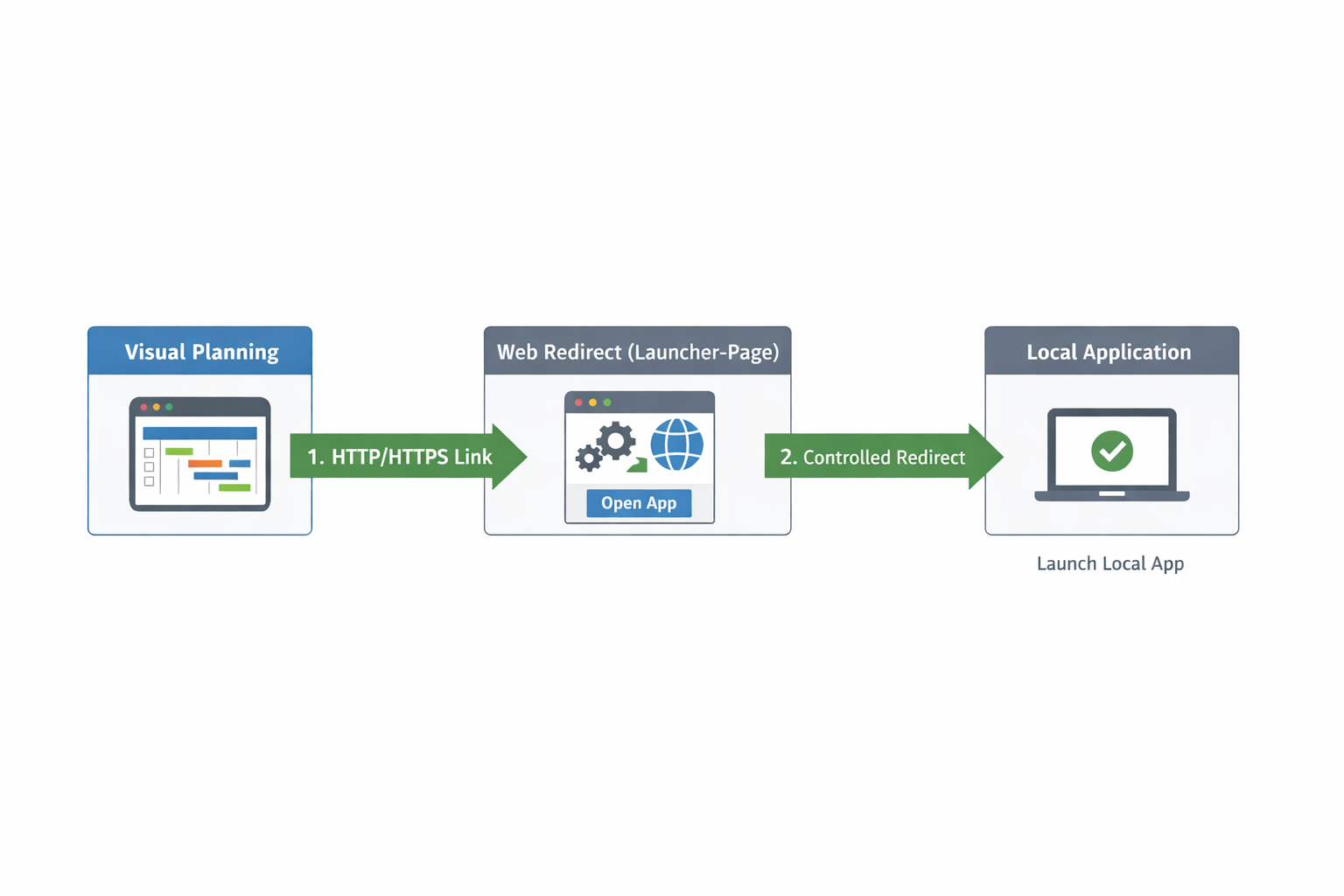
- Visual Planning opens an HTTP/HTTPS link
- An intermediate web page processes contextual data
- The page redirects in a controlled way to a local application
Technical Flow
Visual Planning
   ↓ (HTTP/HTTPS link)
Launcher web page (redirect)
   ↓ (controlled handoff)
Local application
Launcher Web Page Implementation
Location of the Launcher Page
The launcher web page can be deployed directly as a JSP page on the Visual Planning Tomcat server.
- No additional infrastructure required
- Close integration with Visual Planning
- Easy maintenance within the existing environment
Dynamic Link Generation
Links generated by Visual Planning can be generic and dynamically enriched with Visual Planning data, such as:
- Order or process numbers
- Object identifiers
- Time ranges
- Other contextual information
These parameters are passed via HTTP/HTTPS to the launcher web page, processed there, and forwarded to the local application.
Why Is This Workaround Required?
Modern browsers prevent:
- automatic startup of local programs
- direct access to the local operating system
- bypassing security prompts
This approach ensures that all browser and operating system security policies are respected.
Benefits
- Compatible with Visual Planning
- No plugins or browser extensions required
- Centralized, server-side logic
- Dynamic handover of contextual data
- Browser- and security-compliant
Known Limitations
- A browser security prompt may appear on first use
- Fully automated startup without user interaction is not possible
- The target application must be installed locally
Support & Implementation
Please contact your designated point of contact or open a support ticket if required.
FAQ
Why is an additional web page required?
The web page acts as a controlled bridge between the web application and the local system, ensuring that all security mechanisms remain in place.
Can Visual Planning data be passed to the local application?
Yes. Links can be buil
War dieser Artikel hilfreich?
Das ist großartig!
Vielen Dank für das Feedback
Leider konnten wir nicht helfen
Vielen Dank für das Feedback
Feedback gesendet
Wir wissen Ihre Bemühungen zu schätzen und werden versuchen, den Artikel zu korrigieren